The ProWeb portal allows users to change their username, email address and password without having to contact their calibration service provider.
To update your details, log in to the portal and then navigate to 'Update User Details' under 'User Config'
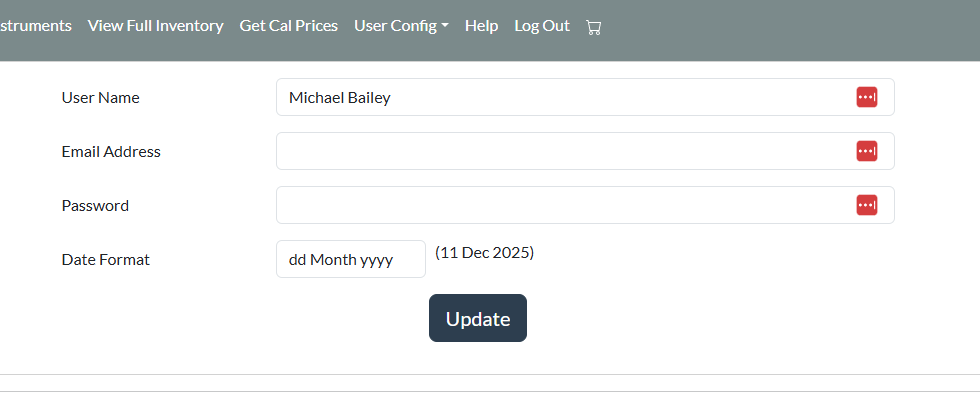
Update your details and then click 'Update'
You will be logged out, and your new password can be used to re-enter the system.
NOTE - You must enter a valid email address for automated emails to operate correctly, for example password reset requests. Your calibration service provider has no access to your password as it is stored in an encrypted format so they cannot provide you with the password if it is forgotten.
Was this article helpful?
That’s Great!
Thank you for your feedback
Sorry! We couldn't be helpful
Thank you for your feedback
Feedback sent
We appreciate your effort and will try to fix the article