If a unit has been disassembled or transported multiple times, it is possible that the high current connections may work loose. This will manifest in the calibrator tripping out when trying to drive demanding loads at high currents such as the EA002 coil.
The user/laboratory can perform the below steps to confirm that the high current crimps have not come loose. Note that this will NOT affect the unit's calibration unless the back panel assembly is damaged due to mishandling. The high current shunt is mounted to the back panel for heat sinking, so if the back panel assembly is mishandled, then this shunt can be damaged.
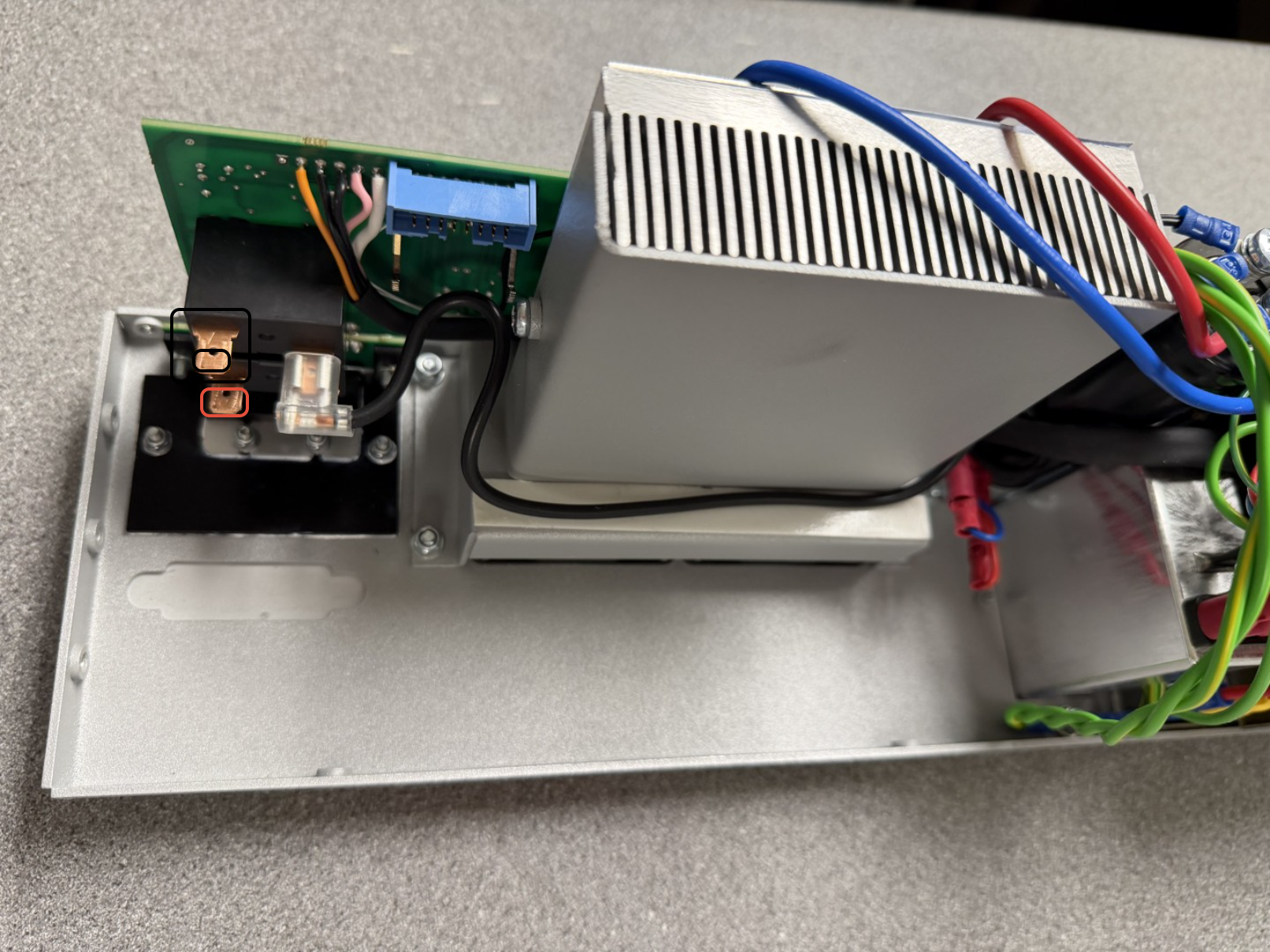
After hinging the backpanel away from the main case, using a pair of needle-nose pliers (https://www.knipex.com/en-uk/needle-nose-combination-pliers or similar), ensure that the highlighted crimps are tight on the terminals of the relay on the back panel
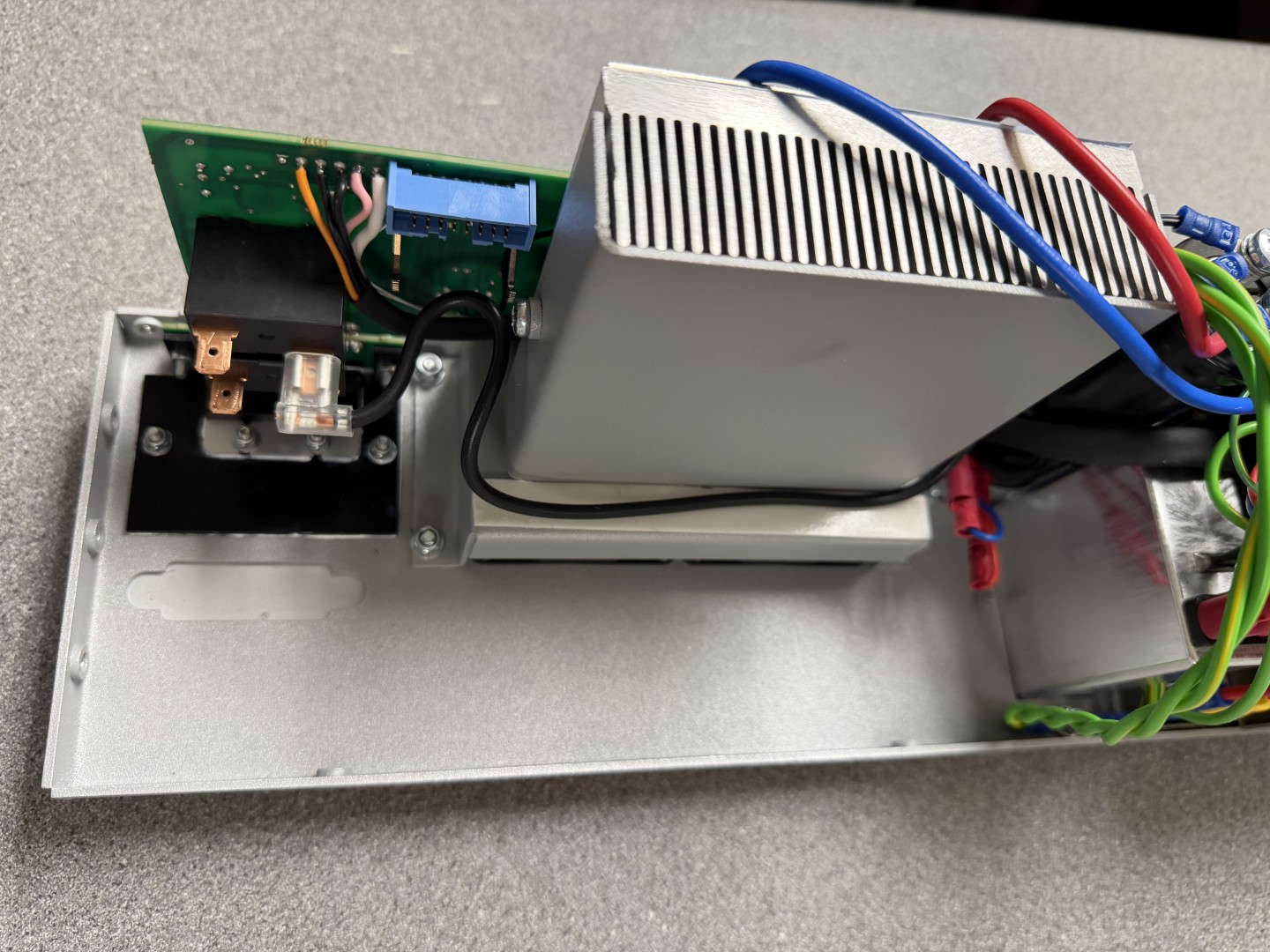
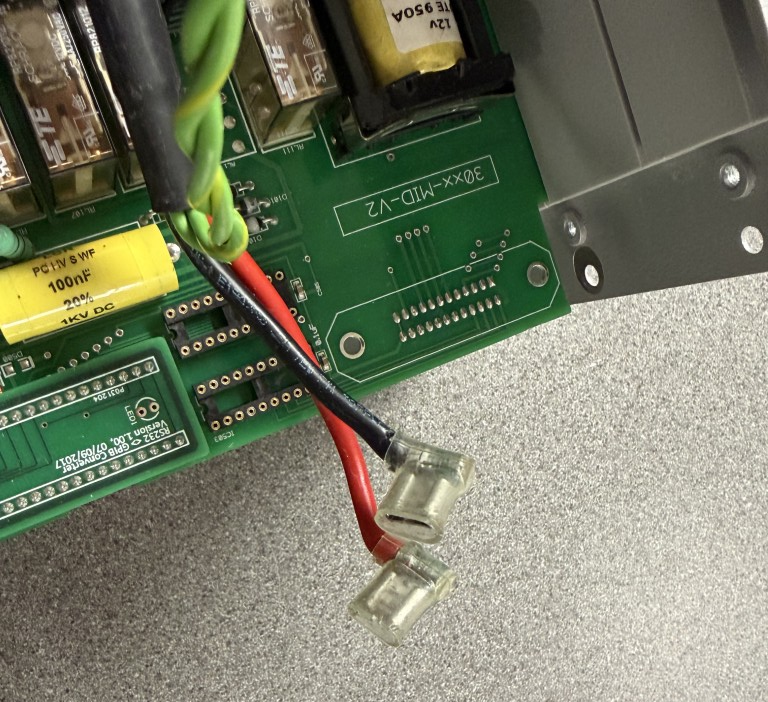
Note : Ensure that the wires go back on the correct terminals. These connections are polarity sensitive and connecting the wrong way around will result in inverted polarity of current. The black wire goes to the terminal furthest from the metal back panel, and the red goes to the closest to the terminal. This can be easily verifed by looking for the other crimp, which is always connected and marks the negative terminal.
Was this article helpful?
That’s Great!
Thank you for your feedback
Sorry! We couldn't be helpful
Thank you for your feedback
Feedback sent
We appreciate your effort and will try to fix the article